GearUP Booster review: helps with ping, not a miracle

We test every tool hands-on. Some links earn us a commission at no extra cost to you; it never changes our scores.
Key takeaway: GearUP Booster sends your game traffic through dedicated routes (its AIR technology) to avoid your internet provider’s congested paths. It works against ping spikes, jitter and packet loss, especially on a server abroad, across 3,000+ games. It is not a miracle: it can’t shorten the distance or fix a bad Wi-Fi. The 3-day free trial lets you measure the gain at home before paying, and the code CONQUERANTS gets you 62% off the 12-month plan.
With more than 8 million monthly active users claimed, GearUP is one of the best-known game boosters. You are probably tired of losing duels in Valorant or Warzone because of unstable latency. In this GearUP review, I’ll help you work out whether this software can really stabilise your connection.
We often end up with a ping that shoots up for no clear reason, even on fibre. I take a close look at this tool to see whether it deserves a place on your drive.
- Does it lower your ping? GearUP helps most when routing goes wrong
- How it works and compatibility: simple setup, on almost every platform
- Price, trial and auto-renewal: what you need to know
- HYPEREV brings routing to consoles, but it’s no Wi-Fi miracle
- Our verdict on GearUP Booster
Does it lower your ping? GearUP helps most when routing goes wrong
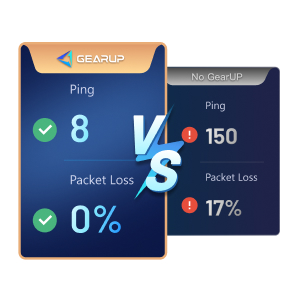
GearUP cuts latency by sending your game packets through dedicated servers and lines instead of the path your provider picks. The result: a steadier ping, less jitter and, above all, less packet loss.
Active users
8 million a month
Supported games
3,000+ titles
Trustpilot rating
4.8 to 4.9/5 (3,800+ reviews)
Why your ping spikes even though your fibre is fine
Most of your provider’s customers download, stream or browse. When a line is congested, your provider may send your traffic along a longer route. A video doesn’t show it: it is cached. A game does: every shot and every move travels in real time, and the detour costs milliseconds.
That is where GearUP comes in: its Adaptive Intelligent Routing (AIR) technology keeps picking the shortest path to the game server, on lines that aren’t shared with all the public traffic. That is how you get faster reactions and stop the micro-disconnects.
What GearUP can’t do
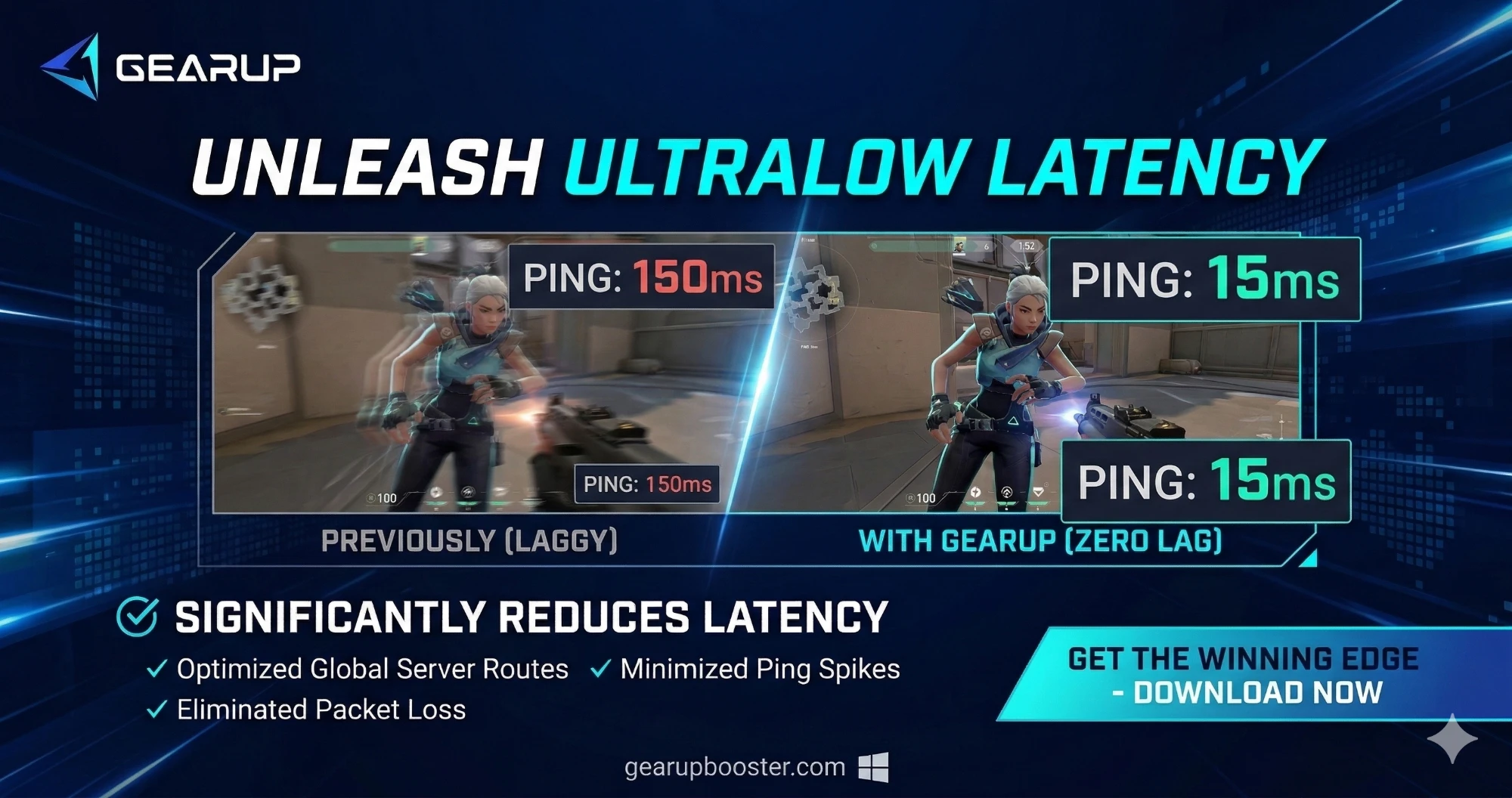
Let’s be honest: the tool can’t beat physics. If you are very far from the game server, the gain will stay small: GearUP doesn’t move continents, it just makes the trip as direct as possible. The spectacular numbers in the visuals (150 ms → 15 ms) are cases where the provider’s routing was really bad.
The real test is at home: compare your ping at different peak hours, with and without the booster. GearUP’s Ping Test even shows your real ping, and what the tool could save, before you download anything.
How it works and compatibility: simple setup, on almost every platform
Setup on PC is quick: you download the client, pick your game, then click “Boost”. There is nothing to configure: you can change server or node if you want, but the default mode picks everything for you.
Supported platforms
- Windows 7, 8, 10 and 11 (32 or 64-bit), 200 MB of disk space;
- Android and iOS with GearUP for Mobile;
- PlayStation, Xbox and Nintendo Switch through the HYPEREV router or a PC;
- Steam Deck, Meta Quest and PICO.
No Mac version
GearUP has no macOS version. If you play on a Mac, you’ll need another solution.
More than a booster
GearUP isn’t a classic VPN: it is for games only (not Netflix or social media) and focuses on the route of your game packets. It adds a few well-thought-out features:
- Ping Test: see your real ping and the possible gain before downloading;
- LAN Play: play LAN games with friends who are far away;
- Twitch Drops: claim drops in one click, without watching the stream;
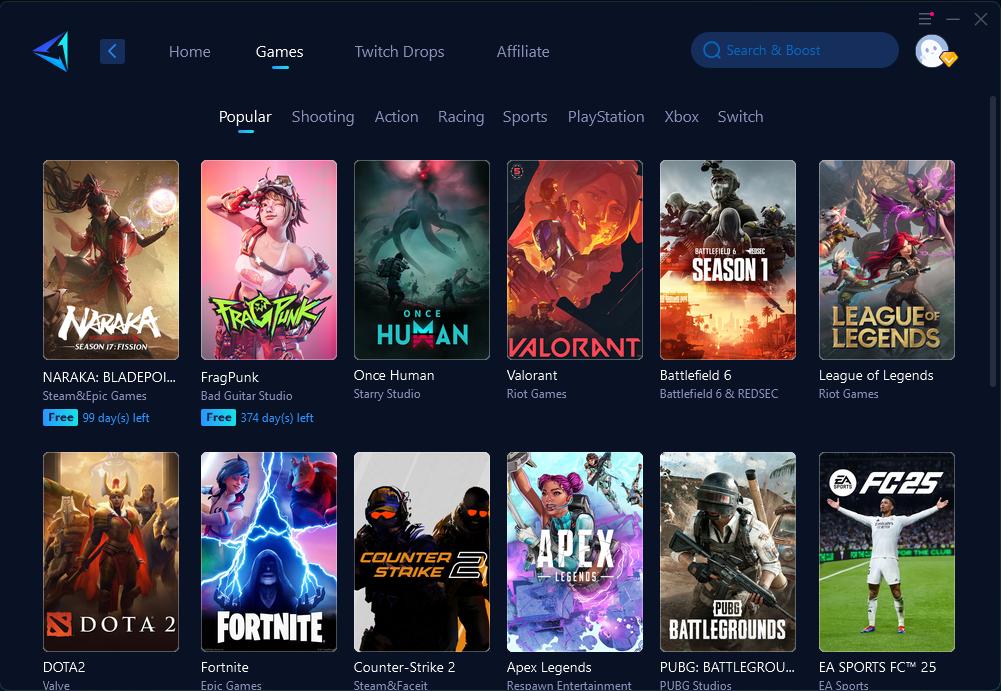
- games you can boost for free for a while, depending on current partnerships (NARAKA: BLADEPOINT or FragPunk as I write this).
AIR technology
Adaptive Intelligent Routing analyses the available routes in real time and switches to the most direct path to the game server. It relies on a network of nodes spread around the world.
On mobile, you can install GearUP for Mobile to lower your ping in PUBG Mobile or Call of Duty Mobile. According to the company, the app uses no extra data or battery.
Price, trial and auto-renewal: what you need to know
Once compatibility is checked, let’s talk money. GearUP is subscription-based, with a free trial to start.
The 3-day free trial
You can test GearUP for free for 3 days on your games, but you need to add a payment method. Nothing is charged at the start: the first payment goes through about 30 minutes before the trial ends. The exact time is shown in Account settings.

During the trial, I suggest you play your most demanding games, like Valorant or Apex Legends, at the hours you usually lag, to see whether AIR really makes a difference for you.
Plans and prices
Prices are shown in the app, on the checkout page. Here are the ones I noted for an individual (Solo) plan, with the new-customer offer:
1 month
€9.99/mo
- No long commitment
- Every game and server
12 months
Most popular€3.99/mo
- 60% off (new-user offer)
- €48.55 the first year, then €93.57/year
- -62% with the code CONQUERANTS
3 months
€7.99/mo
- 20% off
- -27% with the code CONQUERANTS
| Length | Displayed price | Discount | With the code CONQUERANTS |
|---|---|---|---|
| 1 month | €9.99/month | — | — |
| 3 months | €7.99/month | 20% off | 27% off |
| 12 months (most popular) | €3.99/month, i.e. €48.55 for the first year | 60% off (new customers) | 62% off |
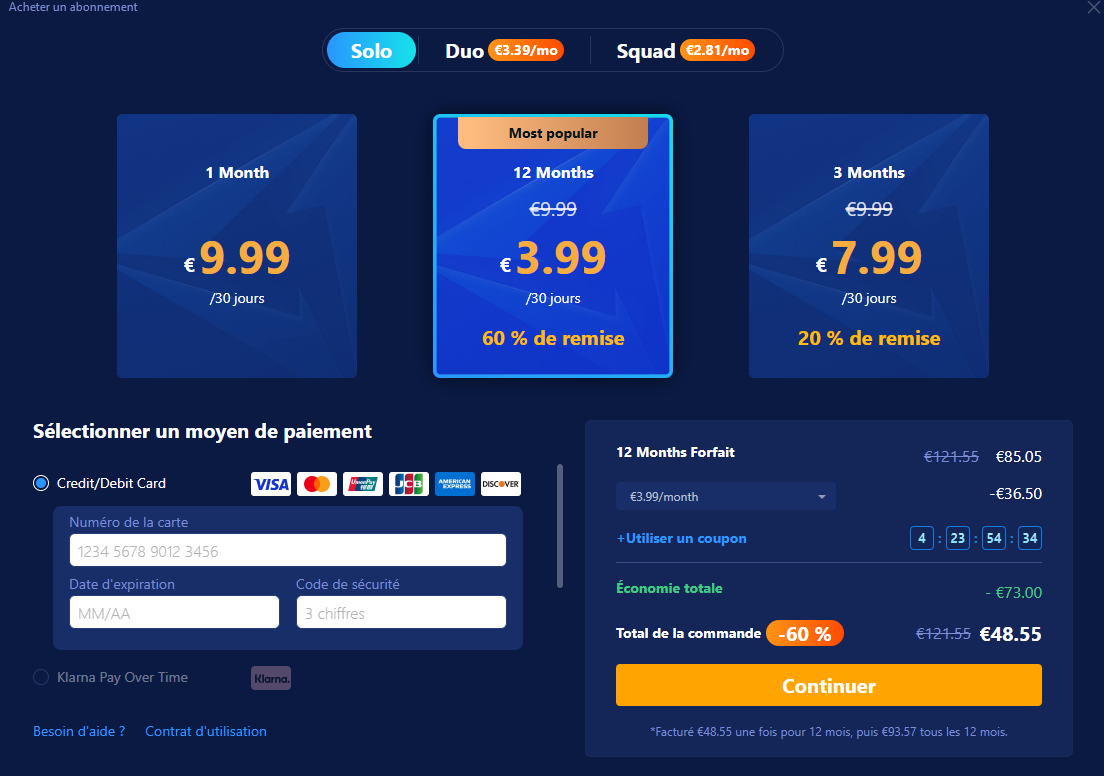
Watch the small print at the bottom of the checkout page: the 12-month plan is billed €48.55 for the first year, then €93.57 every 12 months. The discount only covers the first period: keep the renewal in mind (see below).
If you play with friends, there are also shared team plans: Duo (2 people, from €3.39/month) and Squad (5 people, from €2.81/month). Every member gets exactly the same benefits as the team owner.
How to use the promo code
Use this link, then at checkout click “Use a coupon” and enter CONQUERANTS: 27% off 3 months or 62% off 12 months.
Auto-renewal
The subscription renews automatically. To avoid a charge, cancel the renewal in Account settings at least 3 days before the billing date. GearUP sends an email 3 days before each charge. Note: according to GearUP’s FAQ, if you cancel during the trial, the trial ends immediately.

GearUP Booster
Game booster
-62% on the 12-month plan
And -27% on the 3-month plan, with the code CONQUERANTS. 3-day free trial.
CONQUERANTS
HYPEREV brings routing to consoles, but it’s no Wi-Fi miracle
If you play on console, software alone isn’t enough, and that is where dedicated hardware comes in.
The HYPEREV router (Wi-Fi 6) plugs into your internet box and handles GearUP routing for your PS5, PS4, Xbox, Switch or PC. You set it up and pick your server from the GearUP Router app. As I write this, the official shop lists it at $39.99 instead of $99.99; the price varies by country.
The upside: no software runs on your console, and you don’t need to leave a PC on next to it. The box does all the network work.
But this hardware doesn’t replace a good local connection. If your Wi-Fi signal goes through thick walls, it will stay unstable: always prefer an Ethernet cable. The box optimises your packets’ trip across the internet, not across your living room.
It is a purchase on top of the subscription. If you are a competitive player on PlayStation or Switch, it is worth a look. For casual play, PC or mobile can be enough.
Our verdict on GearUP Booster
After going through the tech and the pricing, here is my verdict.
GearUP is a solid solution when your provider routes your packets badly: evening ping spikes, packet loss, a server in another country. In fast-paced games like Valorant or PUBG, you feel the difference. It is also safe for your account: it doesn’t touch the game or its files, and the company works with names like BattlEye and PlayStation, and games like PUBG and Escape from Tarkov.
Pros
- Real gains on packet loss and ping spikes
- One-click boost, nothing to configure
- 3,000+ games on PC, mobile and console
- Built-in Ping Test, LAN Play and Twitch Drops
Cons
- No Mac version
- Can't fix distance or a weak Wi-Fi
- Auto-renews at full price: cancel at least 3 days before billing
In short, it isn’t magic, but it works when the route is the problem. Use the 3-day trial to measure the gain at home, and if you keep it, take the 12-month plan with the code CONQUERANTS: it is by far the cheapest option.
Frequently asked questions
Is GearUP Booster safe? Can I get banned?
No. GearUP only optimises your network connection: it doesn't change the game or its files, so there is no risk of detection or ban. The company works with names like BattlEye, Bluehole and PlayStation, and games like PUBG and Escape from Tarkov.
How does GearUP lower ping?
Your provider may send your traffic along long or congested routes. GearUP sends your game packets through dedicated lines and servers, and its AIR technology keeps picking the shortest path. The gain shows most on packet loss, jitter and servers abroad.
Can I try GearUP for free?
Yes, the free trial lasts 3 days. You need to add a payment method, but nothing is charged at the start: the first payment goes through about 30 minutes before the trial ends. To avoid being charged, cancel the renewal in Account settings, knowing that the trial then ends immediately.
How much does GearUP cost?
For an individual plan, expect €9.99 for 1 month, €7.99/month over 3 months and €3.99/month over 12 months (new-customer offer, i.e. €48.55 for the first year, then €93.57/year). Duo and Squad team plans are also available. Prices may vary with your country.
Is there a GearUP promo code?
Yes: the code CONQUERANTS gives you 27% off the 3-month plan and 62% off the 12-month plan. Enter it at checkout by clicking “Use a coupon”.
How do I cancel my GearUP subscription?
In Account settings, click “Cancel auto-renewal”, at least 3 days before the billing date. GearUP sends an email 3 days before each charge to remind you.
Does GearUP work on Mac?
No, there is no macOS version. GearUP runs on Windows, Android, iOS, Steam Deck, Meta Quest and PICO, and on consoles through the HYPEREV router or a PC.
Do I need the HYPEREV router to play on console?
No, but it is the simplest option: it plugs into your box and handles routing for your PS5, Xbox or Switch without leaving a PC on. It doesn't make up for weak Wi-Fi: for good results, stay on Ethernet.
Is GearUP a VPN like NordVPN?
Not really. A VPN covers all your browsing and your privacy. GearUP only handles your game traffic, to cut ping and packet loss. It doesn't work with Netflix or social media.
Which games work with GearUP?
More than 3,000 games on PC, mobile and console: Fortnite, Valorant, League of Legends, Counter-Strike 2, Apex Legends, PUBG, Call of Duty, Dota 2, EA Sports FC, Roblox and many more.
Reader reviews
No reader rating yet. Be the first.